Hello dear readers,
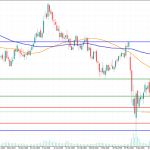
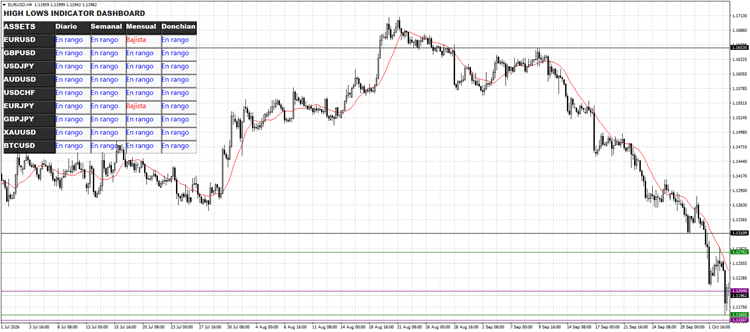
In this article we present a custom technical indicator for MetaTrader 4 called HighLow Zones, designed to display the previous day’s, previous week’s and previous month’s high/low price levels, as well as highs/lows based on Donchian channels. These levels mark price zones where significant price action may develop, such as breakouts of highs and lows, or bounces.
This indicator is the MT4 version of the indicator of the same name developed for MetaTrader 5. You can find more information about this tool here: HighLow Zones Indicator for MT5.
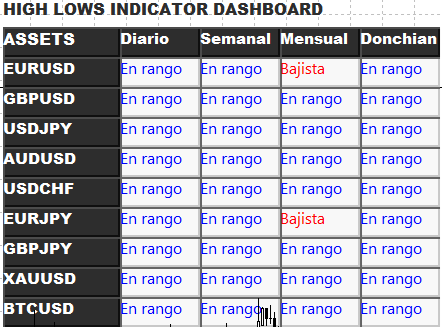
This tool can also draw a screener or signal dashboard that shows, for each financial asset the trader selects, whether price is breaking above a high, breaking below a low, or sitting within the ranges formed by these levels.
Finally, the tool lets you enable an alerts window that essentially displays the signals shown in the signal screener.
This indicator can be downloaded free of charge using the link at the end of the article. The only thing we ask is that if you share this indicator with someone else, you let them know where you got the tool.
HighLow Zones Features for MT4
As we mentioned, this indicator is quite simple but also highly configurable. When activated, it draws lines corresponding to the previous session’s high/low. Depending on the trader’s settings, the indicator can also display the following:
- The previous week’s high/low.
- The previous month’s high/low.
- A signal screener showing the assets where price crosses a high/low detected by the indicator.
- A signal alerts window.
In the settings window, the trader can also change the colors of the high and low lines, as we will see later.
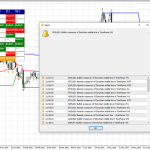
The following image shows the signal screener in detail:
Regarding the signal alerts window, it is shown below:
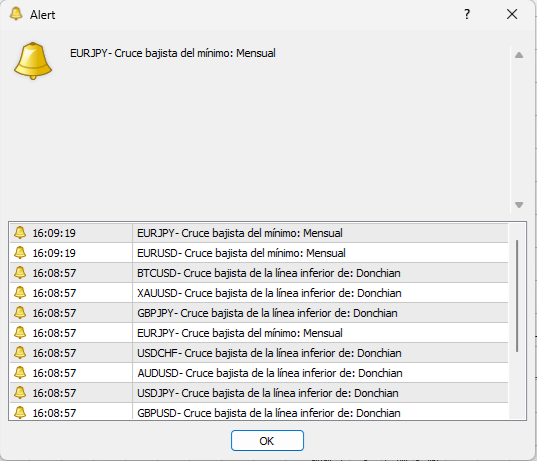
The indicator’s signal alerts window shows the currency pair (market) and whether a bullish or bearish breakout occurred at a daily, weekly or monthly high or low level, or at one of the lines of the Donchian channels. It also shows the breakout level, that is, the value of the high or low that was broken.
Below we show how the indicator is configured, that is, what we can modify in this tool:
HighLow Zones Indicator Settings
The following is the indicator’s window:
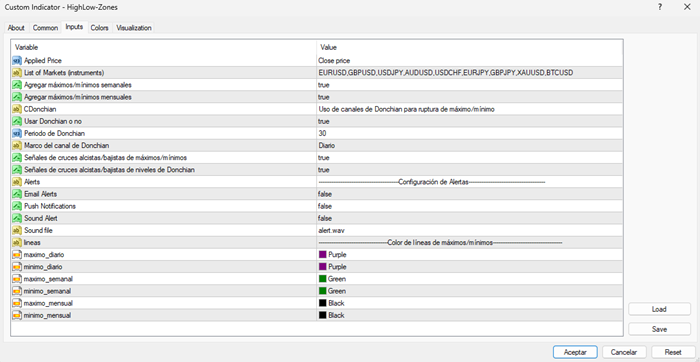
We can configure this tool to display the previous week’s and previous month’s high and low levels, since by default the indicator only shows the previous day’s high and low.
The trader can also change the colors of the lines corresponding to the highs and lows.
Next, we can enable the option for the indicator to detect when price has crossed the high/low levels formed by the lines of the Donchian channels, for example a 25-period one.
In the screener we can add as many trading instruments as we like, as long as they are offered by the broker.
Finally, the tool lets you enable signal alerts that indicate when one of these price levels has been crossed, as well as signal notifications by email or push notifications, for example.
Final Recommendations
This tool is quite simple, and although it is not a complete trading system in itself, it can help you develop your own strategies based on breakouts of highs or lows, for example, or a counter-trend bounce trading strategy.
For example, a common strategy used by many traders when trading cryptocurrencies is to buy when price breaks above the previous session’s daily high. However, to make this strategy safer, many traders wait for the market to pull back to the high zone before placing a buy order (for example, a Buy Limit) in order to protect themselves from a pullback or from false breakouts that can cause large losses.
Lastly, it is highly recommended that you combine this indicator with other technical tools such as moving averages, oscillators or volume indicators to validate breakout or bounce signals.
Where Can I Get This Indicator?
As we mentioned earlier, this is a free indicator that you can download at no cost through the following link:
HighLow Zones Indicator for MT4
You can access more indicators for MT4 (free and paid) through the following link: List of MetaTrader Indicators
Interested in Developing a Custom Technical Indicator or Expert Advisor for MT4 or MT5?
If you are interested in creating a custom technical indicator or Expert Advisor based on your own methodology or trading idea, but don’t have the time or knowledge to do it yourself, we can do the job for you quickly and at the best prices.
You can contact us through: Contact form
Which Broker Do We Recommend for Using This Indicator and Similar Ones on the MetaTrader 4 Platform? One option we recommend is Eightcap. More information at: Eightcap Broker Review

I am Raúl Canessa, the founder of Forexdominion.com. As an experienced Forex trader, my passion for investing and algorithmic trading has shaped my professional journey. Over the years, I have dedicated myself to refining my skills in the financial markets, allowing me to share my knowledge and insights through my platform. I am committed to helping others understand the world of trading and develop effective strategies for success in this exciting field.